devel · Turnera · Human Resources
Time tracking
and working-time records.
Turnera’s Human Resources module, for any team with people who clock in and shifts to arrange: care homes, residents’ associations, workshops, shops, clinics or academies. It handles clocking in, the rota, the work calendar and the working-time record, with no diary, no clients and nothing you don’t need.
What is a module?
Turnera is built in parts, and each part is called a module: the appointment book, customer records, the till, invoicing, staff. A module is a part of the application that is switched on or off depending on what your centre needs.
Human Resources is the module that looks after your employees, and it can be taken on its own: you see only what you use and pay only for that. If you ever need another part, it is switched on without changing application.
What's included
Your team's hours, without spreadsheets.
Clock in with a PIN
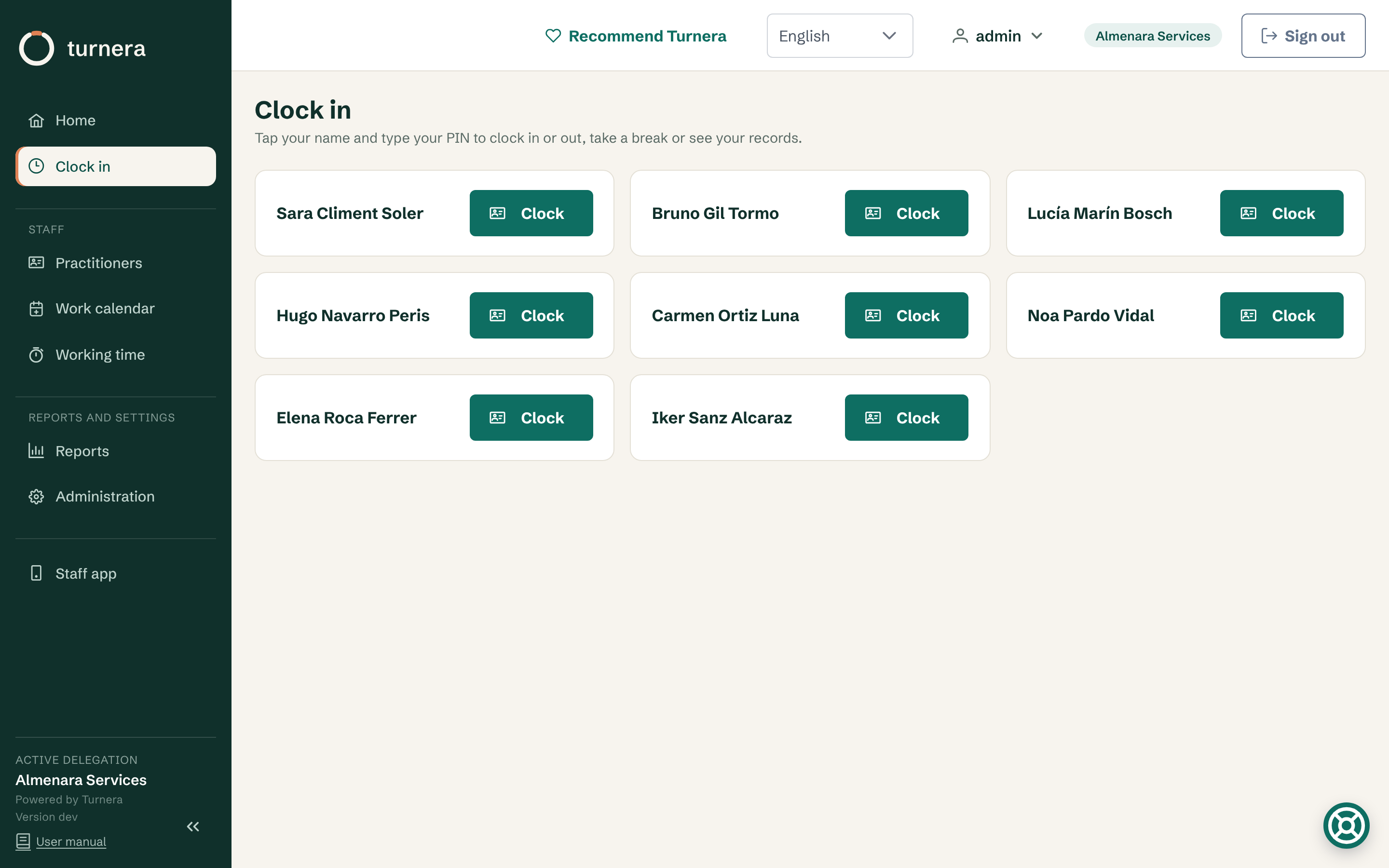
Everyone clocks in, out or on a break with their PIN, at the clock by the door or from the native mobile app, checks their own entries for the month and receives them by email or as a PDF.
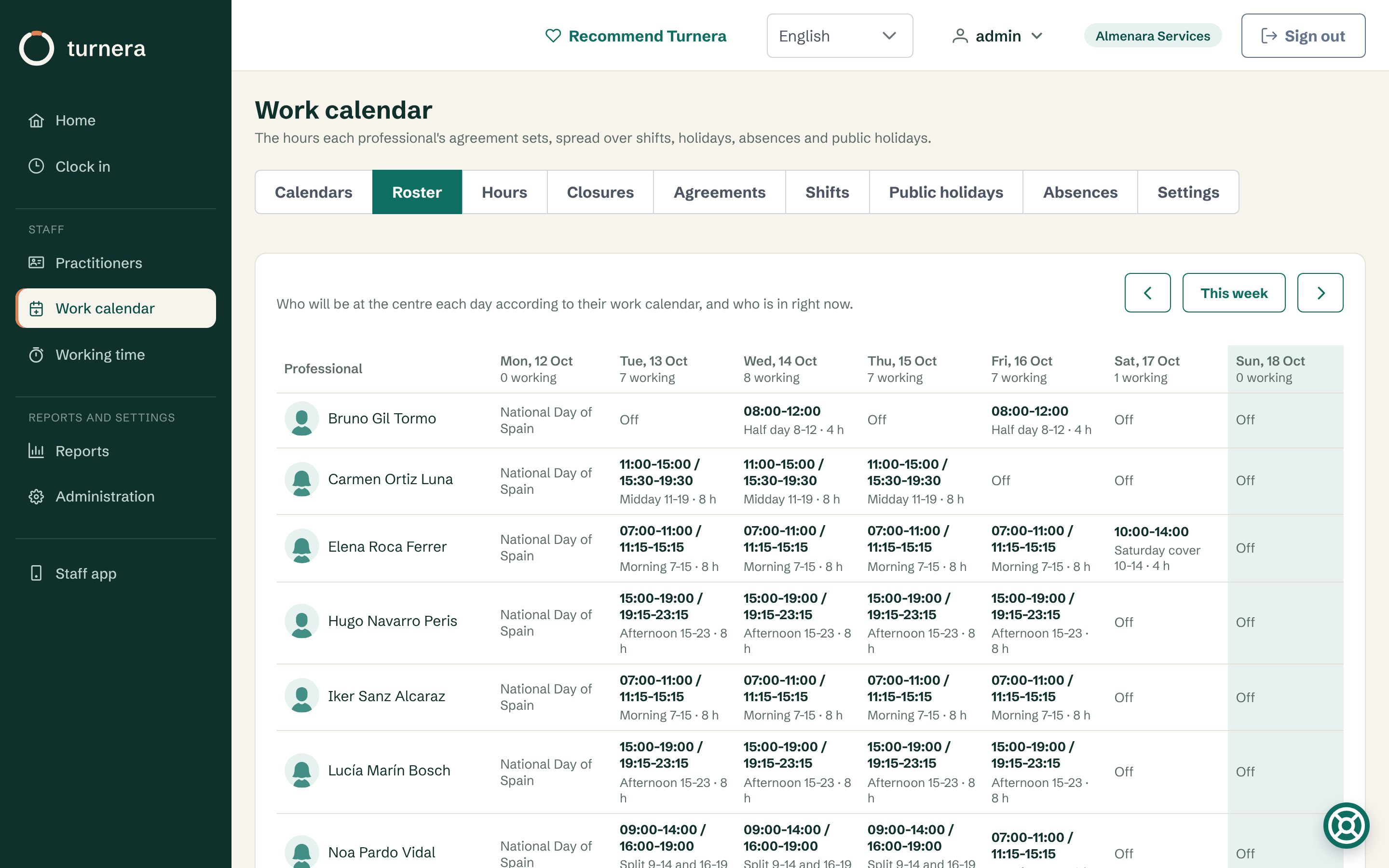
Weekly rota
Who works each day and on which shift, who is off or on holiday and who is in right now. On the home screen you see who should have clocked in and hasn’t.
Work calendar
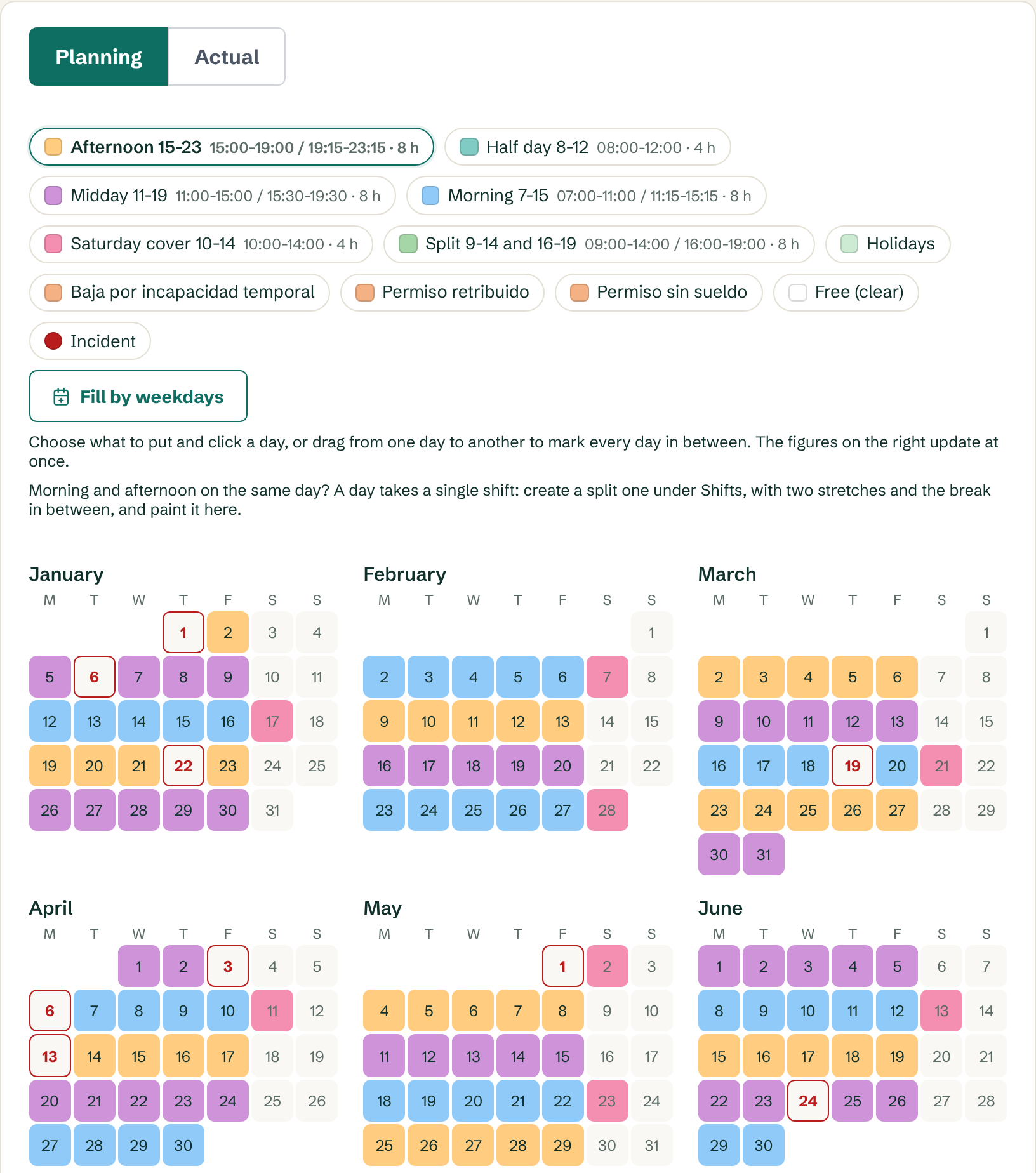
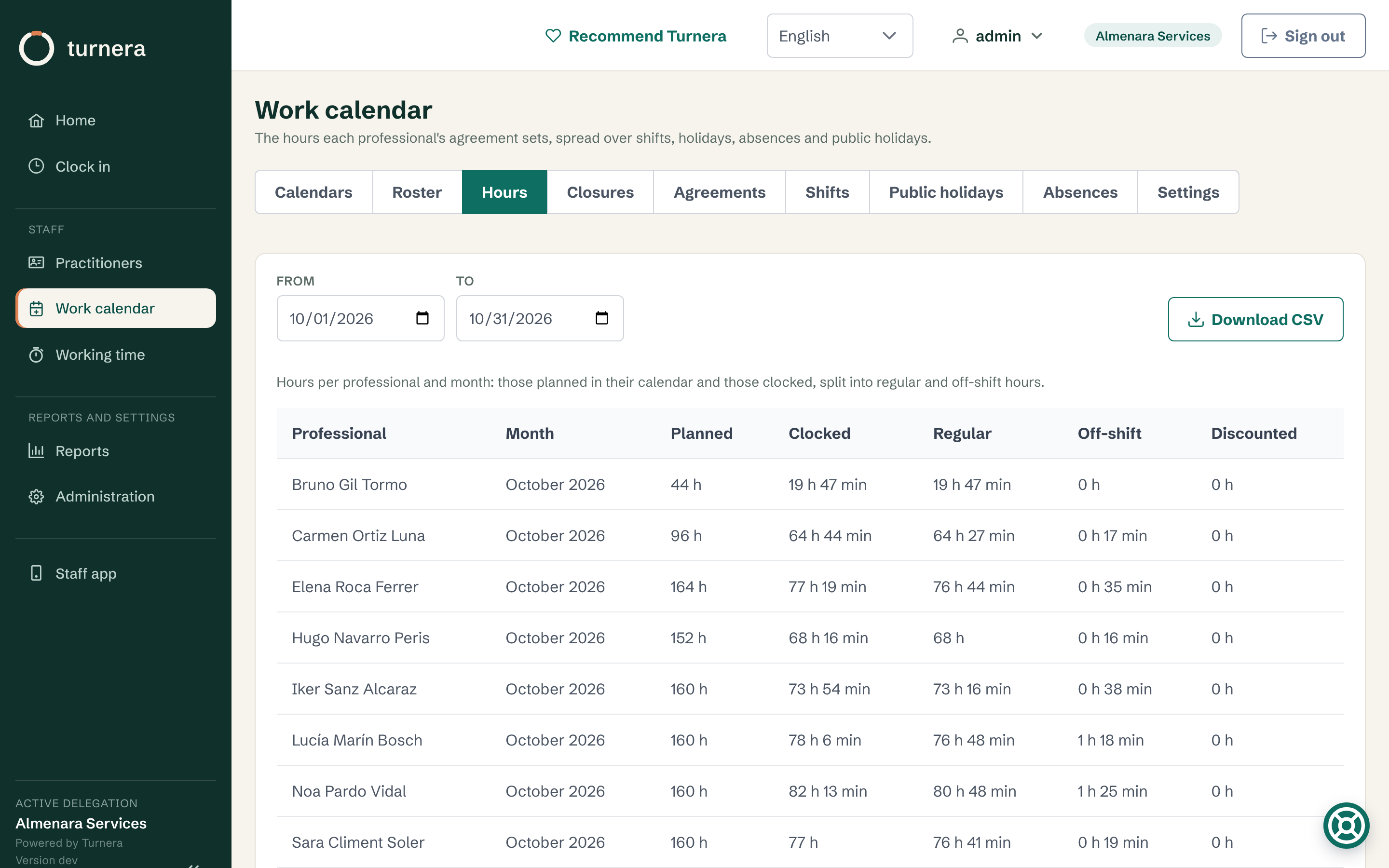
Each year’s agreement with its hours and holiday days, the shifts, the types of absence and the public holidays. National and regional holidays load themselves when you choose the centre’s region.
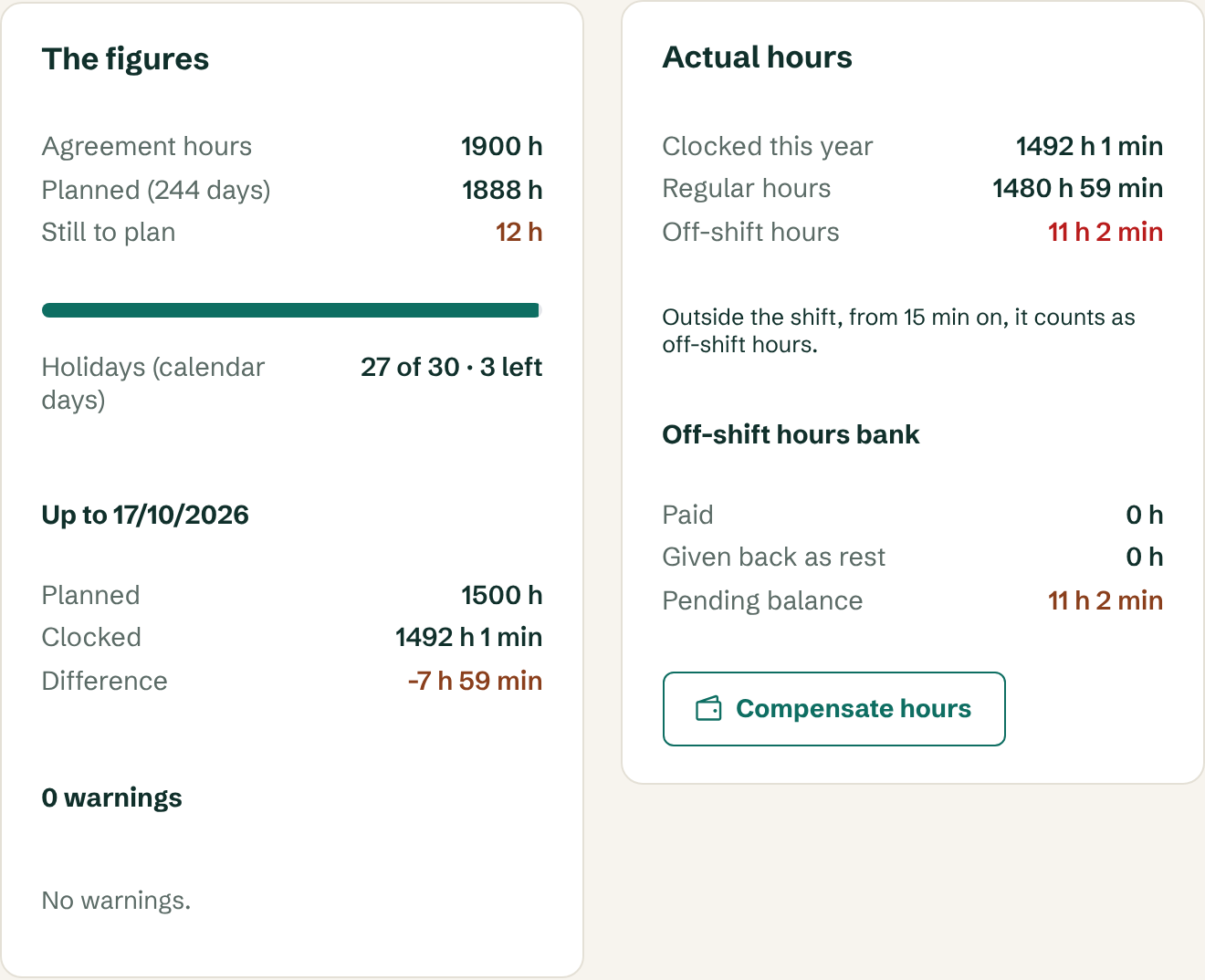
Overtime and overtime bank
Hours clocked outside the shift are recorded as overtime in each professional’s bank, and you decide whether it is paid in the payroll or taken back as time off. If in the year they go past the 80 hours the Spanish Workers’ Statute allows, the screen warns you.
Month-end close for payroll
Each month is closed for payroll and can be reopened to adjust it, with the reason written down. Each person carries the code your accountant knows them by.
Once the month is closed, the staff's hours go to your accountant from a single screen, with a link that expires: you see who has signed their summary, you remind whoever is missing, and whatever is still unsigned goes marked as such. It is optional and only switches on when you enter your accountant's email.
Ready for the Inspectorate
The full record comes out in Excel, CSV and as a monthly PDF with space for signatures. And you can give the Labour Inspectorate or the workers’ representatives a read-only link that expires and logs every access.
Screens
Here’s how it looks inside.
Screenshots of Turnera HR with demo data: the staff module only. No sketches, no mock-ups.
Pricing
You pay for each professional on your team.
You don’t pay for users or premises. Each band applies only to the professionals who fall in it, so there are no jumps when you move from one to the next.
The bands
| Professionals | Per professional per month |
|---|---|
| The first 25 | 2,50 € |
| 26th to 100th | 2,00 € |
| From the 101st | 1,50 € |
Minimum fee of €10 a month. Prices exclude VAT. Paying the year in advance means ten monthly payments instead of twelve.
A few examples
| Your team | Per month | Per year |
|---|---|---|
| 5 professionals | 12,50 € | 125 € |
| 10 professionals | 25 € | 250 € |
| 25 professionals | 62,50 € | 625 € |
| 50 professionals | 112,50 € | 1.125 € |
| 100 professionals | 212,50 € | 2.125 € |
Everything included: what you see above and whatever comes next. Technical support by email, no commissions and no lock-in. We set up your centre with you, at no cost.
Frequently asked questions
What people ask before deciding.
Clocking in and the record
Can staff clock in from their phone?
Yes. As well as the clock at the entrance, each person can clock in from the native staff app for Android, with the same PIN and in the same record. When clocking in by phone, the place it was done from is noted, only at that moment, and it never stops anyone from clocking in.
How do I show the record to the Labour Inspectorate?
With a read-only link that you create, for whoever you specify and for the number of days you choose, up to 90. Whoever opens it sees the record and can download the same files, and every access is logged. You can withdraw it before it expires, and workers’ representatives see it without tax ID numbers.
Do I have to enter public holidays by hand?
No. National holidays and those of your autonomous community load automatically when you choose the centre’s community.
Pricing and sign-up
Do I need the diary or the client records?
No. Human Resources is taken on its own, with no diary, no clients and no till. If one day you need them, they’re switched on in the same application, and we tell you beforehand how much your fee changes.
How much does it cost?
€2.50 per professional per month for the first 25, €2.00 from 26 to 100 and €1.50 from 101 on, with a minimum fee of €10 a month. Prices exclude VAT, and if you pay for the year in advance you pay ten monthly instalments instead of twelve.
Is there a minimum term?
No. No minimum term and no commissions, with technical support by email included. And we set up your centre with you, at no cost.
More modules
And if you need more tomorrow
Because Human Resources is a module and not a separate program, you can add others without changing application or loading anything again: the appointment book and customer records if you work by appointment, the till and invoicing, or maintenance reports with photos for inspections. What you already have stays where it is and the new part appears in the menu. Before switching anything on, we tell you how much your fee changes.
Do you work by appointment? See Turnera for clinics, training centres and clubs or academies.