Software for academies
for music, languages or tutoring.
Private and group lessons, each in its classroom, and the day viewed classroom by classroom or teacher by teacher. The student record holds their notes, their programme and their lesson pack, and the application speaks like an academy: students, teachers, classrooms and lessons.
What's included
What an academy uses every day.
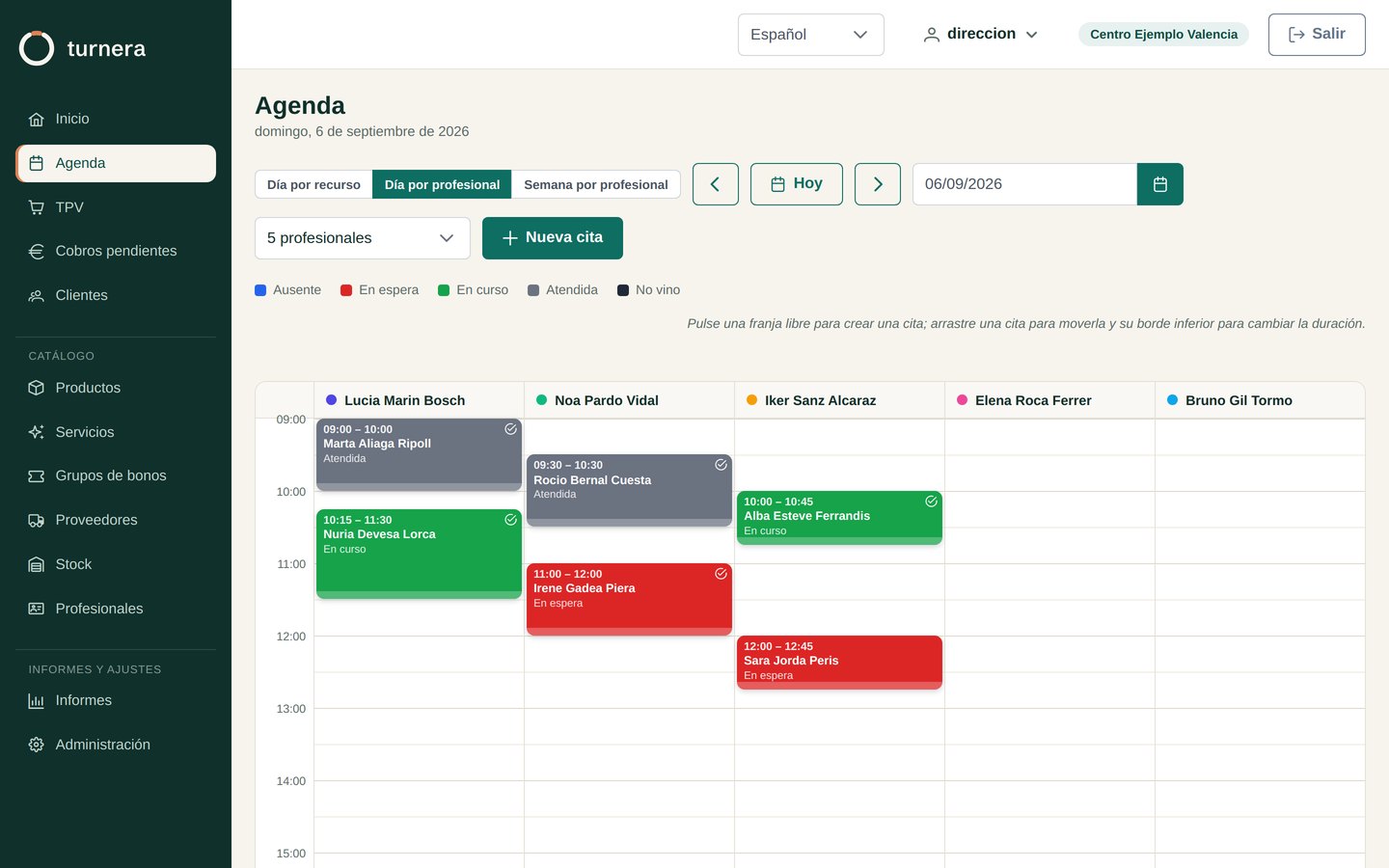
Timetable by classroom and by teacher
The day in columns, one per classroom or one per teacher, and each teacher’s week to find a slot for whoever asks about next week.
Private and group lessons
A private lesson is for one student and a group lesson has its places. Each lesson’s card says how many are taken, and inside is the list of students.
Recurring classes
The Tuesday lesson is set up once. Before saving, the diary shows which days fit and why it skips the others: a public holiday, another lesson at that time.
Lesson packs
The pack is bought in one go and used up by itself. At reception you can see at a glance who has lessons left and who still has something to pay.
Notes and programme for each student
In the student record, their programmes with their goal and work plan, and notes from each lesson: what was covered and how it went.
Payment and invoicing
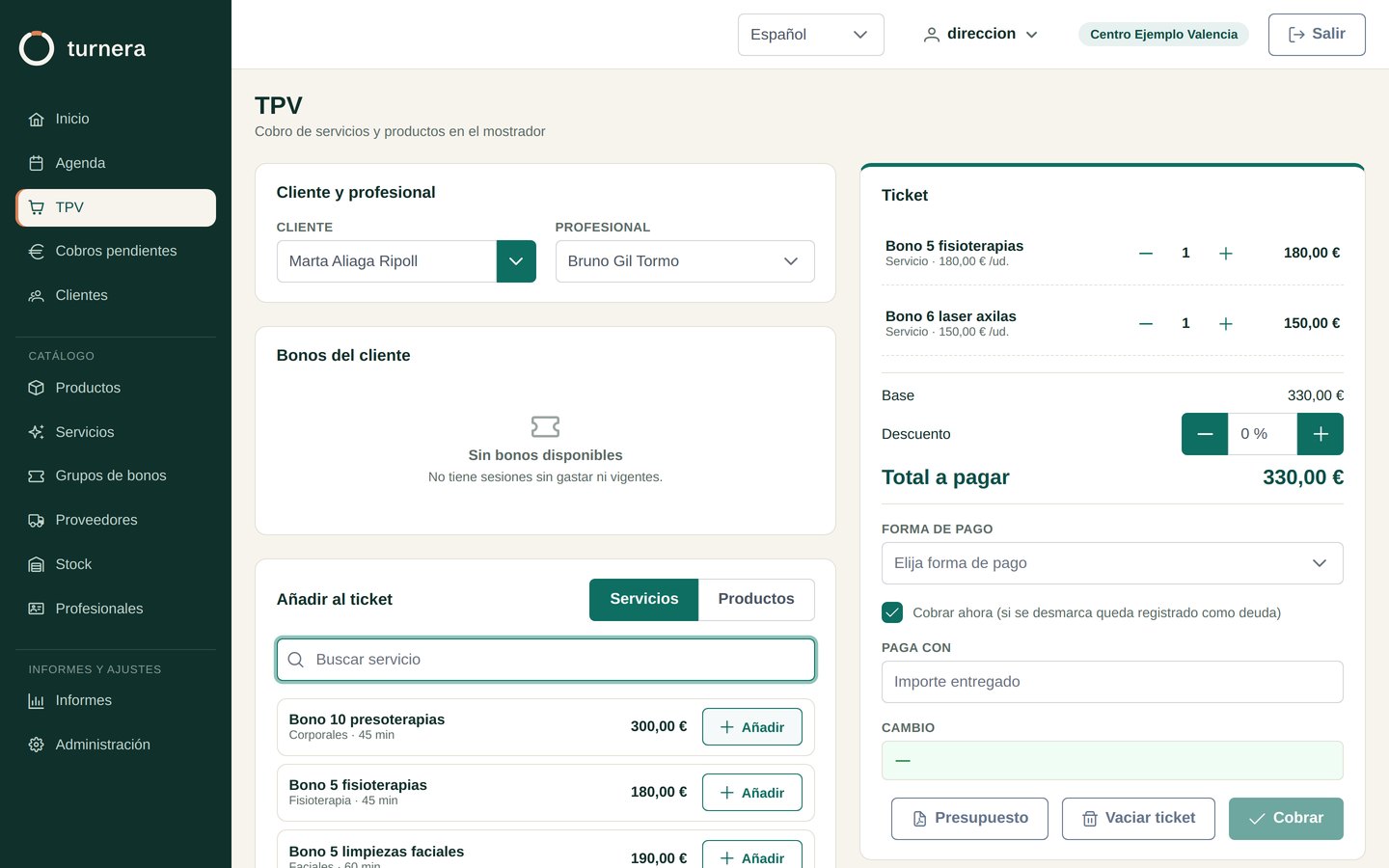
A ticket with lessons and materials, outstanding payments sorted by age, the till close and invoices issued the way VeriFactu requires.
Online booking
Your students book and cancel from your academy’s portal, signing in with their email and no passwords, with the rules you set.
Teachers
They clock in with their PIN, and their rota and work calendar are in the same application.
Reports in Excel
Appointments, clients, payments, daily till, packs, history, stock and movements, and all of them download to Excel for your accountant.
Screens
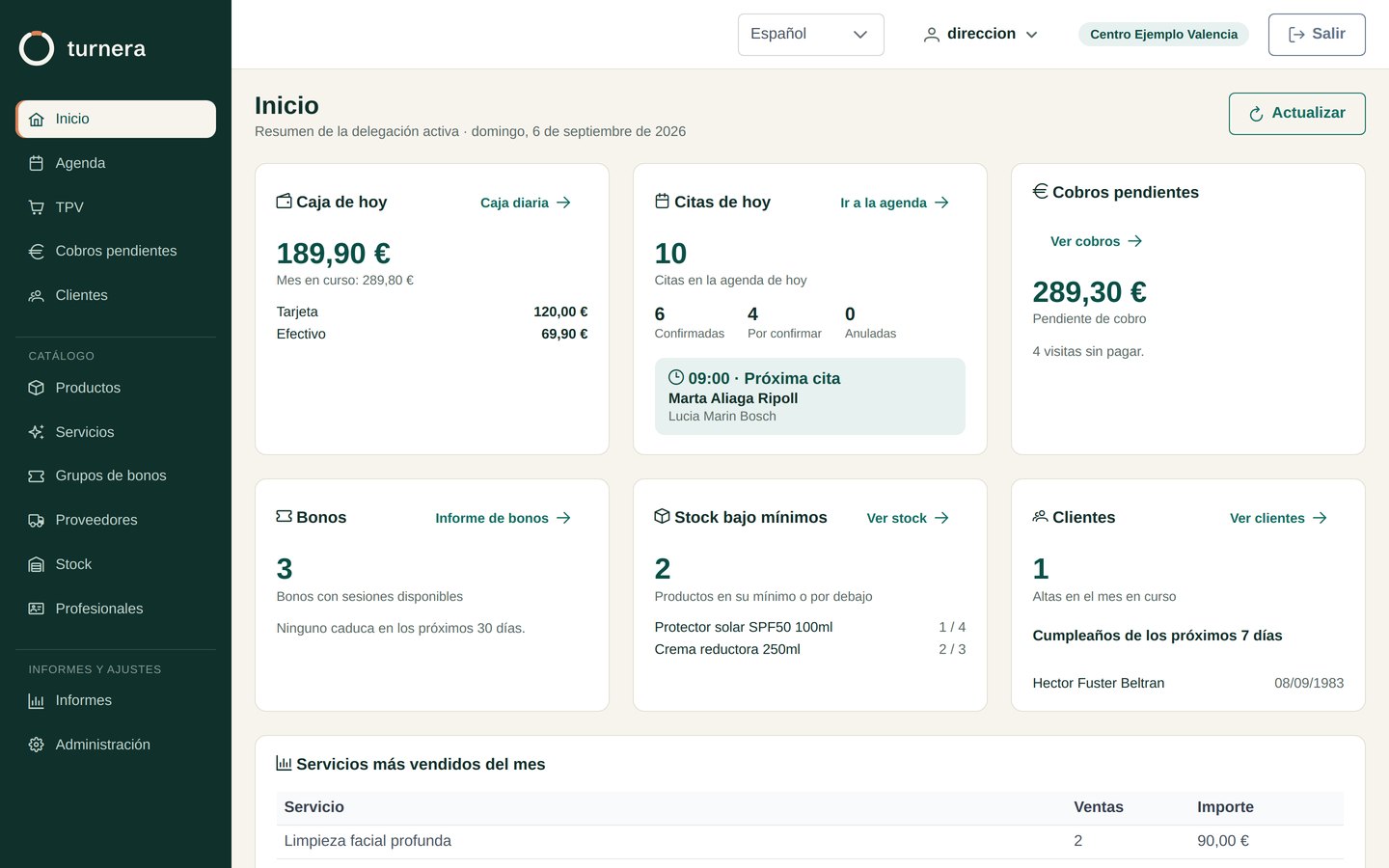
This is the application, unretouched.
Screenshots of a real installation with demonstration data. No sketches, no mockups.
Frequently asked questions
What people ask before deciding.
Price and billing
How much does it cost?
€39 a month with two resources included. Each extra resource costs a little less than the one before, and with ten you pay €90. From there, €5 for each extra resource up to twenty. Above twenty, let's talk. Prices exclude VAT, and if you pay the year in advance we give you two months free. Work out yours under Pricing.
What counts as a resource?
Every slot in your diary that can be occupied at the same time. If your centre can see three people at once, that's three resources.
- Two rooms worked in parallel are two resources. If two practitioners take turns in the same room and never overlap, it's one.
- Four bays with four physios at once are four, even if there are six people on the payroll.
- Six bookable courts are six. Coaches and whoever is on reception don't count.
Is there a minimum term?
No. If you pay monthly, you cancel whenever you like: you keep access until the end of the month you've already paid for, and you're not charged again.
If you paid for the year up front and leave early, we refund what you haven't used, counting the months you did use at the monthly price. The two-month discount is what you pay for committing to a year, so it's lost if the year isn't completed; the money for the months you won't use goes back to your account.
With a centre at €56 a month: you pay €560 for the year and leave after three months. Those three months cost €168, so we refund you €392.
Day to day
Can my clients book on their own?
Yes. Your centre has its own booking portal, at your Turnera address, where your clients see what is free, book and cancel. They sign in with their email, with no passwords to remember.
You set the rules in the preferences: how many days ahead can be booked, how much notice is needed, until when a booking can be cancelled, who can book without a voucher and whether someone with an outstanding debt can keep booking. You decide when to switch it on and which services and rooms are booked online.
Trial and sign-up
Can I try it before paying?
Thirty days, no card. You come in with sample data already loaded — clients, services, today's appointments — so you see how it behaves when full, not in front of an empty screen. When you start with real ones, they're deleted in one click.
How long until the centre is up and running?
The trial, minutes. With onboarding and no data to bring over, a couple of days. If you're migrating from another program, allow one to three weeks, almost all of it waiting for your current provider to hand over your data.
Bringing my data from another program
I'm on another program. Can you bring over what I have?
Yes, and it's the first thing we do. We bring over clients, services and prices, products, practitioners, session packs and pending sessions, appointments, completed visits and clinical history. Excel or CSV sheets are enough, which is what every program in the sector knows how to export.
Demo
We'll show you and you tell us.
Tell us what kind of centre you have and what you're fighting with right now. We'll show you Turnera running with real data and we'll talk about whether it suits you. It's read by someone who knows the program from the inside, not by a salesperson.
Turnera is also for clinics, training centres and clubs and staff time tracking.